
Schedule Posts
Talkbase Publish lets you write posts ahead of time and schedule them to publish automatically at a specific date and time.
How to Schedule a Post
-
Open the post editor (create a new post or edit an existing draft).
-
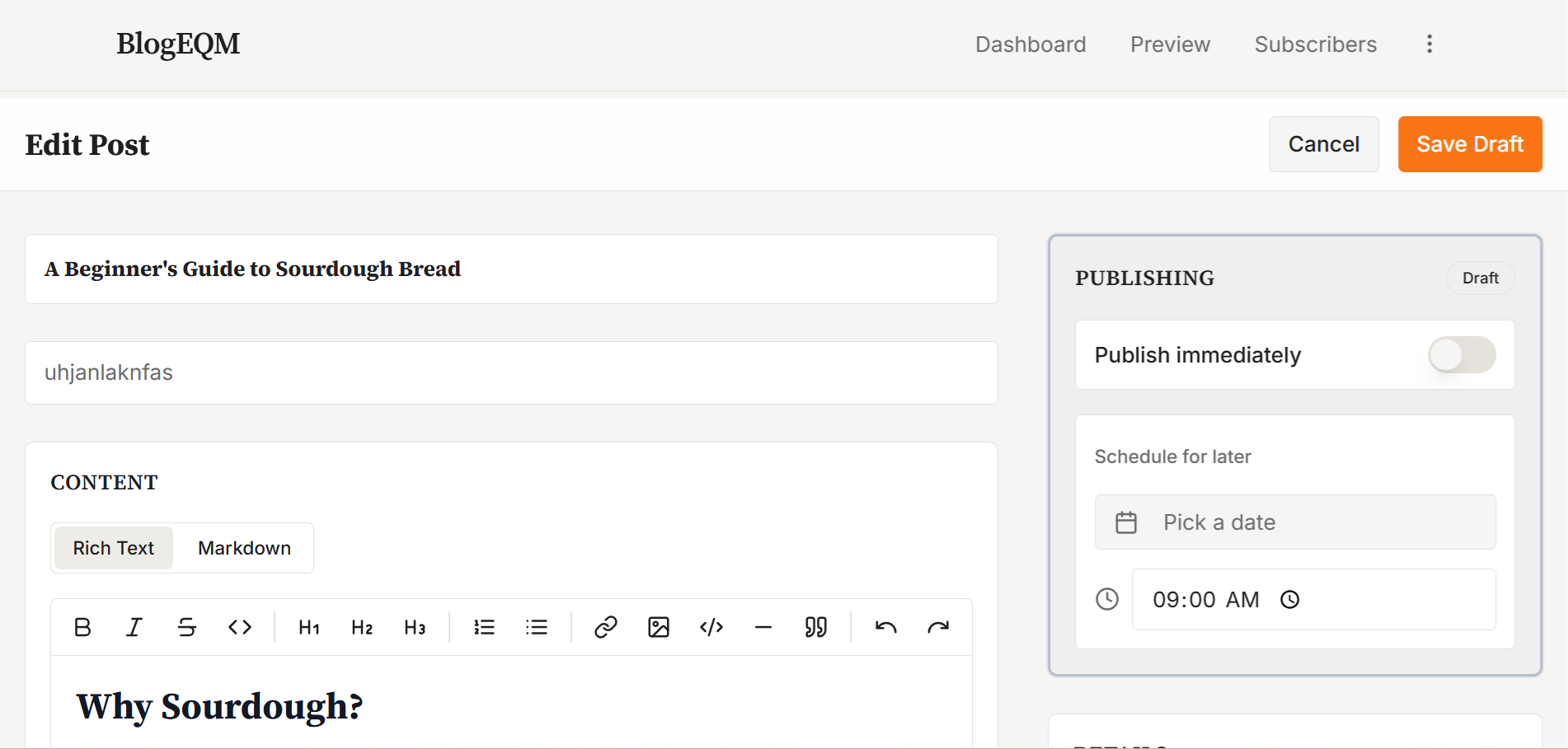
In the Publishing section of the right sidebar, make sure Publish immediately is toggled off.
-
Under Schedule for later, click Pick a date to open the calendar. Select a future date.
-
Set the time using the time picker below the calendar.
-
Click Schedule to save.
The post card on your Dashboard will show a Scheduled badge with the date and time it will go live.
Editing a Scheduled Post
You can edit a scheduled post at any time before it publishes. Open it in the editor and change the content, date, or time. You can also clear the schedule to return it to Draft status.
How It Works
Scheduled posts are automatically published at the specified time. The post status changes from Scheduled to Published, and it becomes visible on your public blog page.
Note: The scheduled time must be in the future. If you try to set a time that has already passed, you'll see an error message.